
XT802D 8 inch industrial panel PC
The XT802D is an 8 inch Android 11 industrial panel PC with an 800×1280 portrait screen, a 212×143×37mm body and 732g weight.


Technical specifications
| Projects | Specifications |
|---|---|
| Operating system | Android 11, Debian / Ubuntu available to order |
| Processor / memory | RK3566 quad-core 1.8GHz; 4G + 64G, 2G + 32G available to order |
| Screen | 8 inch capacitive touch screen, 800×1280 |
| Scan engine | 2D imaging, 640×480 CMOS; field of view 40° horizontal / 29° vertical / 49.4° diagonal |
| Supported symbologies | Common 1D barcodes, 2D codes and QR; paper and on-screen codes |
| Ports | RJ45 Ethernet ×1; RJ11 COM ×1; USB3.0 ×1; USB2.0 ×3; audio ×1; power button ×1 |
| Network | 2.4G / 5G WiFi; wired Ethernet; Bluetooth 5.0 |
| Power | DC 12V (adapter included); PoE version 48V |
| Body / weight | 212 × 143 × 37mm; 732g |
| Installation | Z bracket included with four holes; wall, pole or rack side panel; optional VESA01 bracket |
| Operating environment | 0~50℃, indoor workstation environment |
| Options | MRZ / ID OCR, NFC reader, colour and print, custom packaging |
Who this model suits
Suits workstations like these
- Mainstream assembly, packing and inspection workstations: reporting plus a diagram on one screen
- Wall or swing-arm mounting, operator standing
- Where work order details and a process diagram are shown together
- One model across the line to reduce spare-part variety
Not recommended here
- Workstation space no wider than a hand (choose the 5 inch XT802C)
- Needs Windows software or a local print driver (choose an X86 model)
- Used as a large shop-floor board (choose 15.6 or 21.5 inch)
What to check when fitting it to a workstation
| Stage | How it works |
|---|---|
| Where it mounts | The Z bracket allows wall mounting or pole clamping, and the VESA01 bracket suits a swing arm; keep the screen 40–60cm from the operator, with the centre 10–15° below eye level when standing. |
| Power supply | Use either the DC 12V adapter or 48V PoE, not both. PoE suits wall positions on lines without a socket. |
| What to Connect | USB for a label printer or stack light, RS232 for a PLC or legacy device, Ethernet straight to the MES server. |
| Note | In dusty areas fit a dust cover, wipe the screen with a neutral cleaner, and avoid long-term use of alcohol on the printed border. |
Workstation Photos

How it compares in the series
| Model | Screen | OS | Processor / memory | Installation |
|---|---|---|---|---|
| XT802C | 5 inch 720×1280 | Android | RK3566 quad-core 1.8GHz; 4G + 64G, 2G + 32G available to order | Z bracket included, four mounting holes |
| XT802D | 8 inch 800×1280 | Android | RK3566 quad-core 1.8GHz; 4G + 64G, 2G + 32G available to order | Z bracket with four holes included |
| XT802E | 10.1 inch 800×1280 | Android | RK3566 quad-core 1.8GHz; 4G + 64G, 2G + 32G available to order | Z bracket with four holes included |
| XT802F | 15.6 inch 1366×768 | Android | RK3566 quad-core 1.8GHz; 4G + 64G, 2G + 32G available to order | VESA01 standard hole pattern |
| XT802E-X86 | 10.1 inch | Windows | Intel J1900 quad-core 2.0GHz; 4G + 64G, 8G + 128G available to order | Z bracket with four mounting holes |
| XT802F-X86 | 15.6 inch 1366×768 | Windows | Intel J1900 quad-core 2.0GHz; 4G + 64G, 8G + 128G available to order | VESA01 hole pattern |
| XT802G-X86 | 11.6 inch | Windows | Intel J4125 quad-core 2.0GHz; 8G + 128G, configurable | VESA bracket (optional) |
| XTCM215 | 21.5 inch, ten-point touch; 1080×1920 portrait | Windows | Intel Celeron J1900 quad-core 2.00GHz; DDR3 4G + 64G SSD | Wall bracket included |
| XTCM320 | 32 inch, 1080×1920 portrait | Windows | Intel i5-3320M; 4G + 128G SSD | Wall bracket included |
FAQ
How much difference between 8 and 10.1 inch? Which should I choose?
Both are 800×1280: the 10.1 inch panel has the same resolution with a third more area. For text-heavy screens with few elements, 8 inch is enough; for tables, multiple parameter columns and process drawings, the 10.1 inch XT802E is easier to work with, and its 35mm body is 2mm thinner than the XT802D.
The workstation is oily. Does touch still respond?
A capacitive screen still works under a thin oil film; heavy oil or thick gloves affect it. Electronics and automotive parts lines often have operators wear thin finger cots, or move the confirm action to a scan trigger to reduce direct contact.
Can it connect a hand scanner and a printer at the same time?
Yes. The unit has USB3.0 ×1 and USB2.0 ×3, and the built-in engine uses an internal channel, so an external scanner and an 80mm printer do not conflict. If you also add a stack light and a scale, fit a USB hub and check total draw against adapter headroom.
Can we trial a sample unit before ordering?
Yes. Sample orders start at one unit and ship with the bracket and adapters. Fit it at the real workstation for a week, confirm viewing angle, cable routing and software compatibility, then set the volume configuration.
Neighbouring models in the series
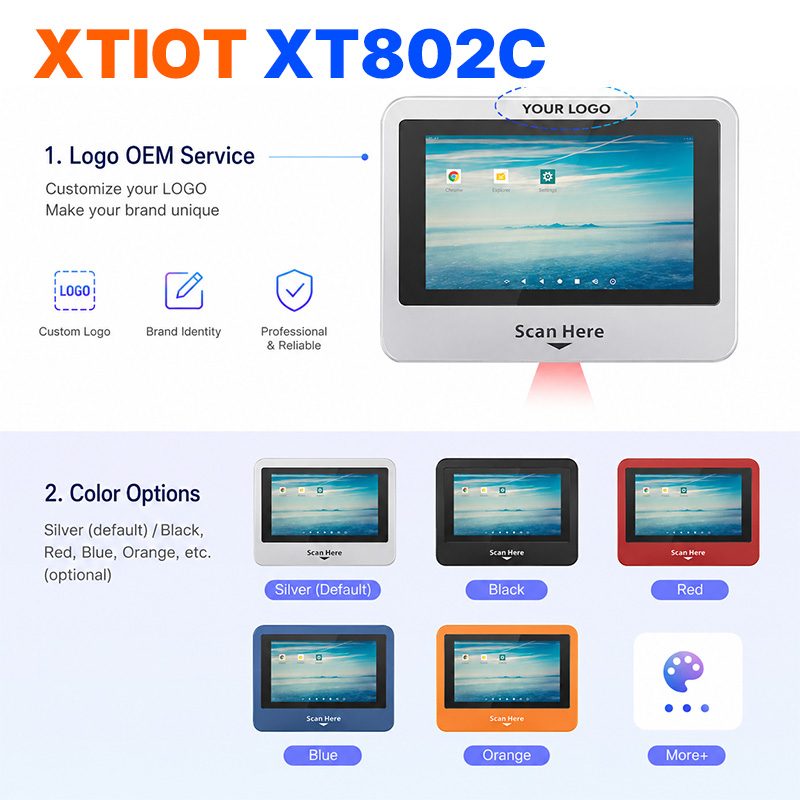
XT802C
XT802C is a 5 inch Android 11 industrial panel PC with 720×1280 portrait display, housing 148×110×40mm, weight 500g.
See specs and selection →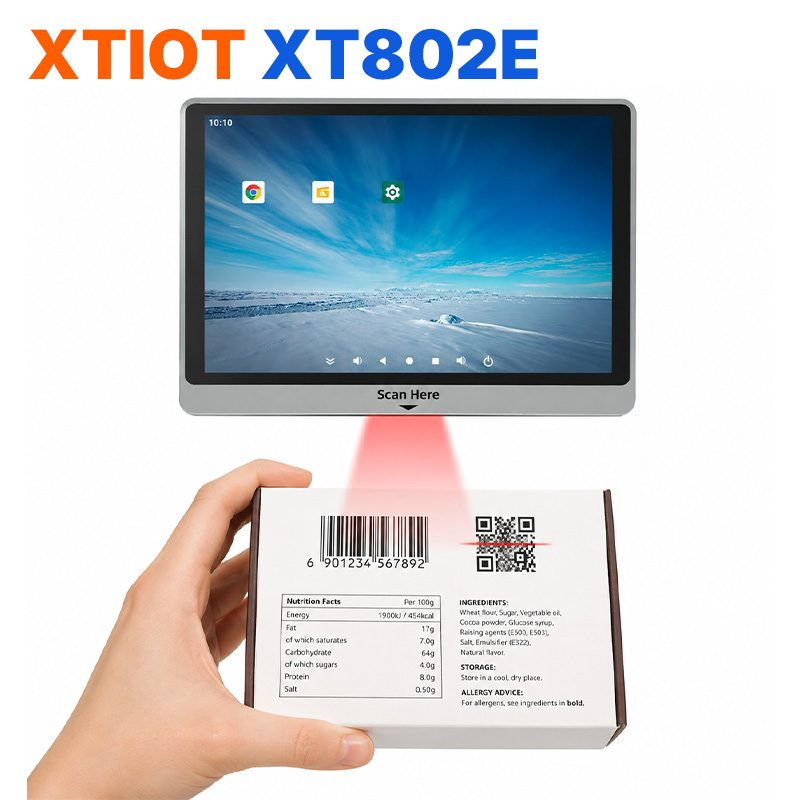
XT802E
XT802E is a 10.1 inch Android 11 industrial panel PC with 800×1280 resolution, housing 242×173×35mm, weight 878g,
See specs and selection →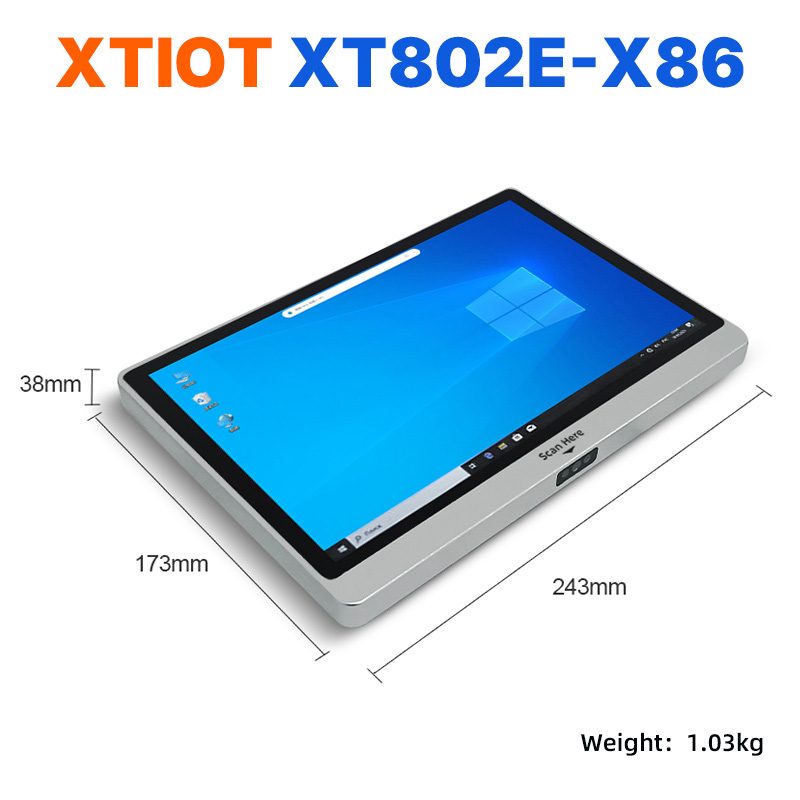
XT802E-X86
XT802E-X86 is a 10.1 inch Windows 10 industrial panel PC with Intel J1900 quad-core 2.0GHz and 4G + 64G,
See specs and selection →Describe your workstation and we will provide a configuration you can install directly
Describe the process, cycle time, scanning distance and software environment (MES / ERP / in-house), and we will provide a model, bracket and port proposal within 24 hours.