
Workstation Terminal: Screen, Scan and Ports Fit the Station
The XT802 series combines a capacitive touch screen, a 2D imaging engine and an industrial mainboard in one unit, 9 sizes from 5 to 32 inch on Android 11 and Windows platform lines. Where a workstation once held a tablet, a scanner gun and a power adapter, one device on one Ethernet cable now handles production reporting, SOP viewing and error-proofing. Structure, OS and ports can be reverse-customized to the existing workstation; the line does not change.
- Built-in 2D imaging engine reads paper and screen codes, no external scanner gun needed
- DC 12V power with optional POE: one Ethernet cable for both power and communication
- RJ45, RS232 (RJ11), USB3.0×1, USB2.0×3, for printers, tower lights and PLCs
- Four mounting styles - wall mount, swing arm, embedded mount, floor standing - chosen by workstation structure
- Android 11 or Windows 10 (Linux on request); MES clients and in-house programs both install
- 9 sizes on one platform; after sample validation the whole line can standardize on one model

Two product lines, one hardware platform
The industrial panel PC covers seeing and computing; the workstation terminal covers being installed and used at the station. Same mainboard, same engine, configured by mounting and software environment.
Industrial Panel PC
9 sizes from 5 to 32 inch on Android 11 and Windows platform lines. Wall mount, swing arm, embedded mount and floor standing, built-in 2D engine, DC 12V or POE power. Suited to line-side dashboards, inspection benches and warehouse receiving desks.
View details →Workstation Terminal
Screen, scan window and industrial mainboard combined into one unit mounted at the workstation: scan work orders, report production, view SOPs, error-proof. Brackets and ports are reverse-customized to the existing structure; the line stays untouched.
View details →9 sizes, chosen by size and OS
The series shares the engine, port layout and mounting holes; after sample validation the whole line can standardize, and spares only need three size variants.
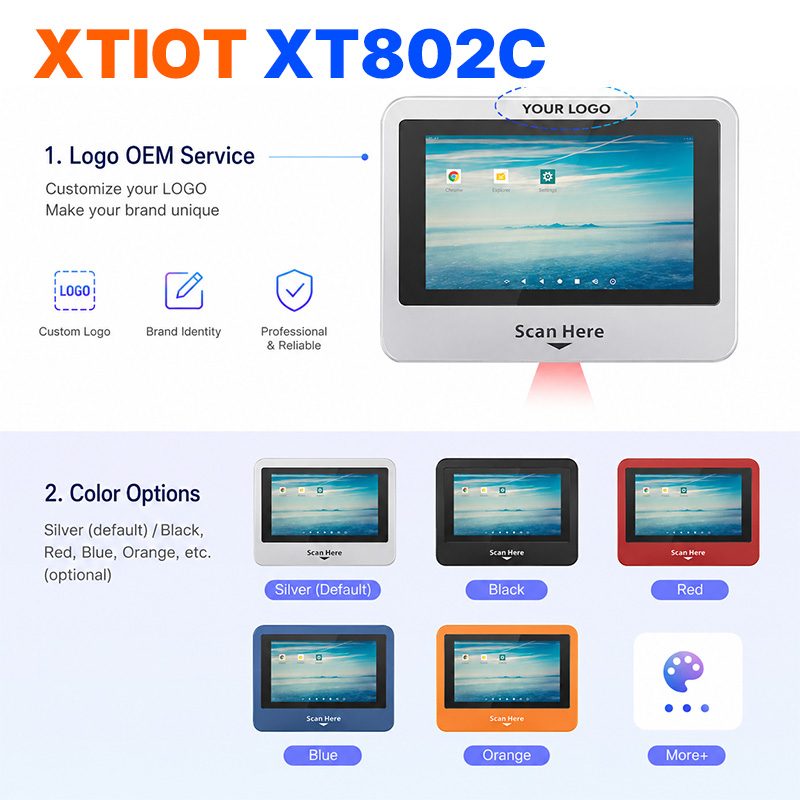
XT802C
XT802C is a 5 inch Android 11 industrial panel PC with 720×1280 portrait display, housing 148×110×40mm, weight 500g.
See specs and selection →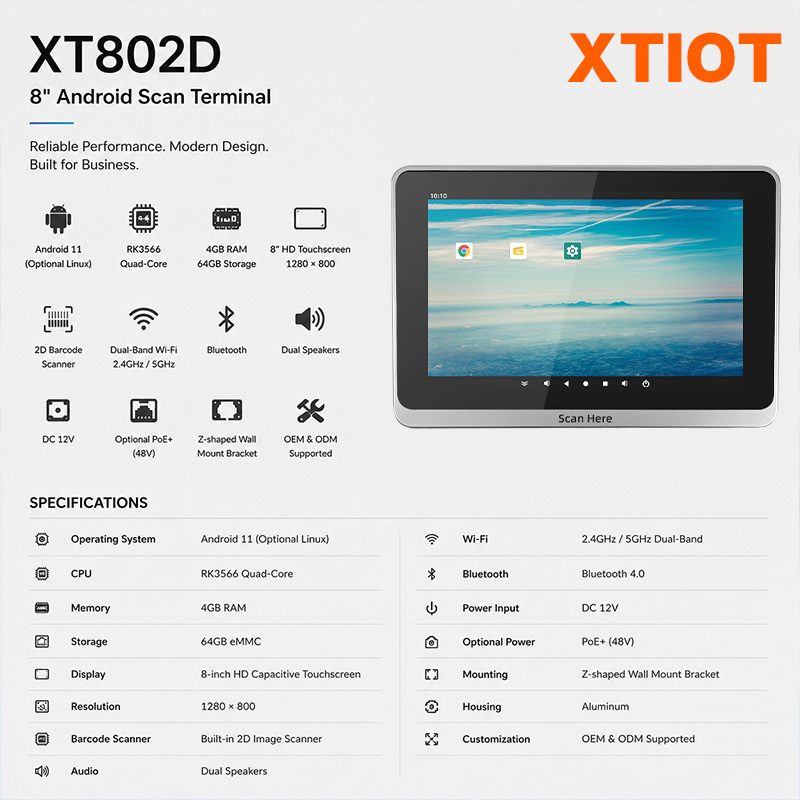
XT802D
XT802D is an 8 inch Android 11 industrial panel PC with 800×1280 portrait display, housing 212×143×37mm, weight 732g.
See specs and selection →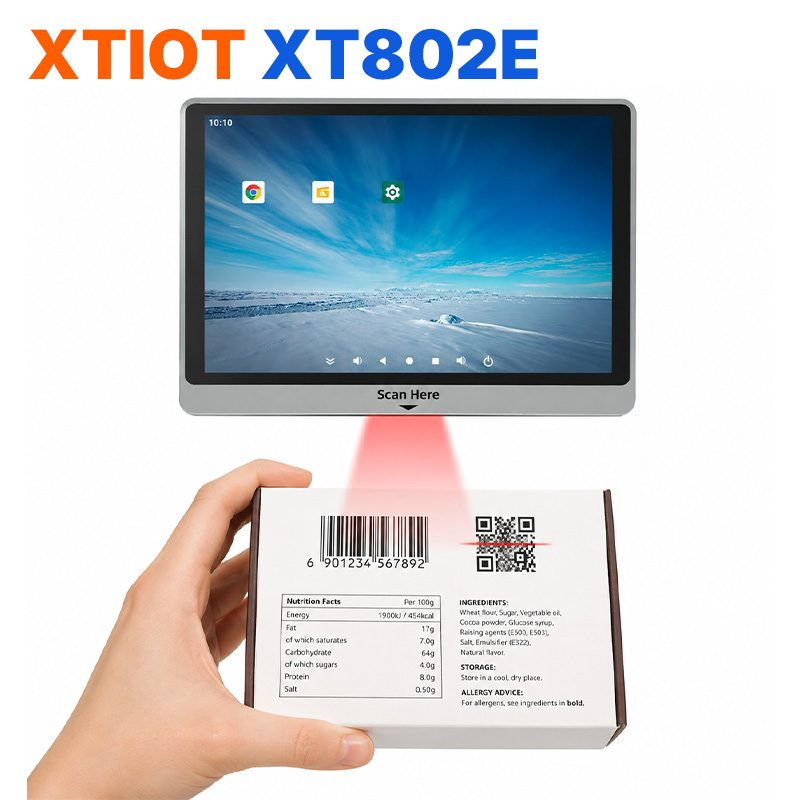
XT802E
XT802E is a 10.1 inch Android 11 industrial panel PC with 800×1280 resolution, housing 242×173×35mm, weight 878g,
See specs and selection →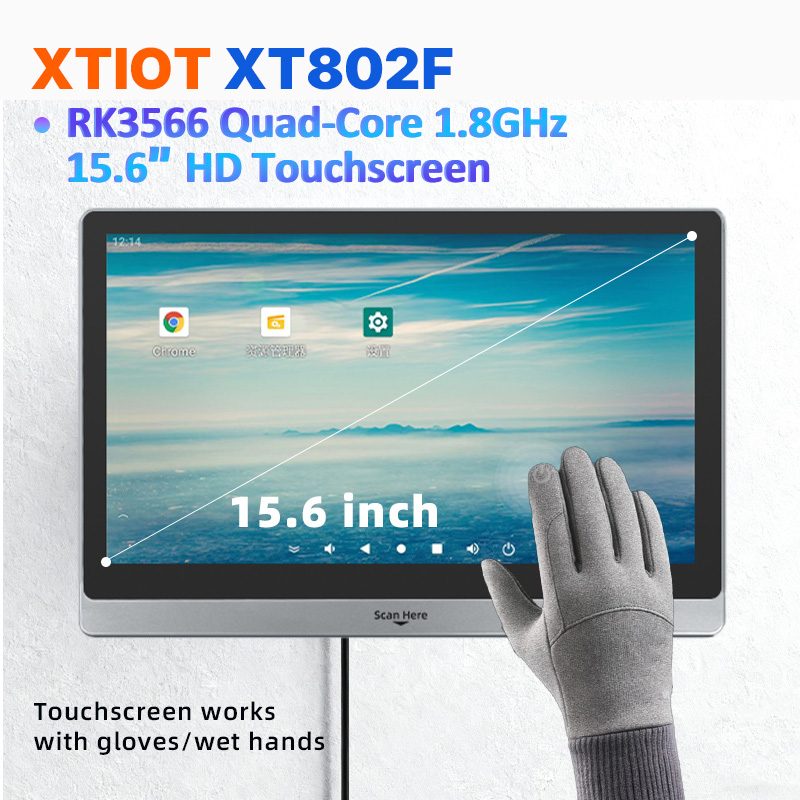
XT802F
XT802F is a 15.6 inch Android 11 industrial panel PC with 1366×768 landscape display, housing 382×261×35mm, weight 2.38kg.
See specs and selection →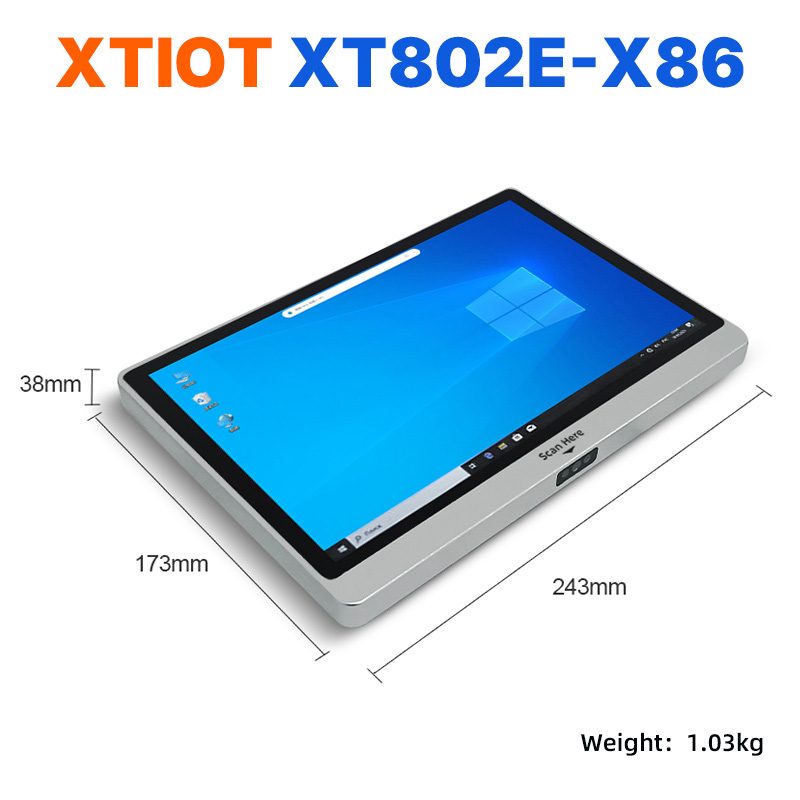
XT802E-X86
XT802E-X86 is a 10.1 inch Windows 10 industrial panel PC with Intel J1900 quad-core 2.0GHz and 4G + 64G,
See specs and selection →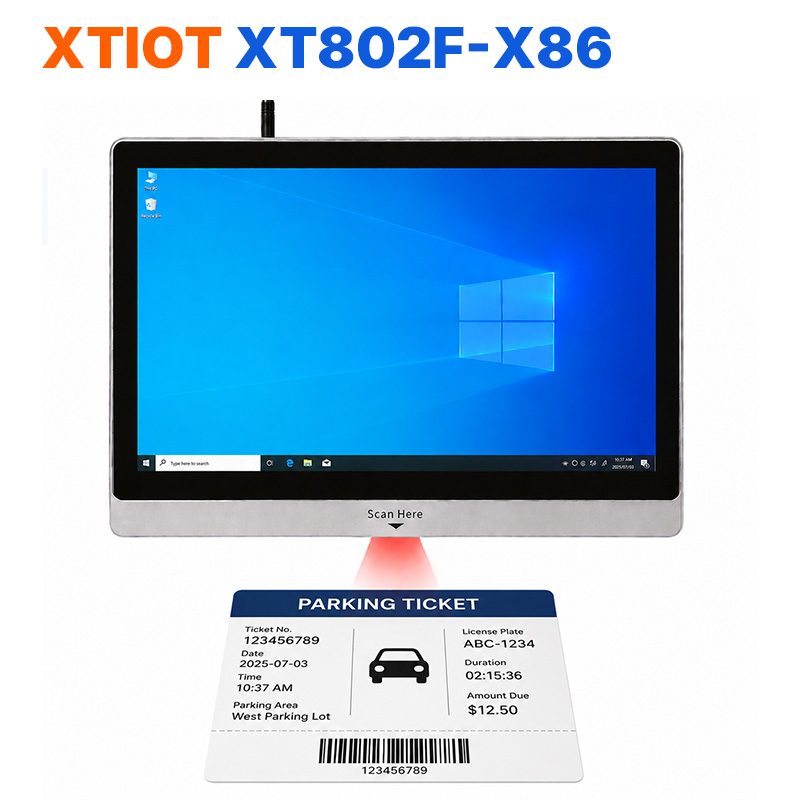
XT802F-X86
XT802F-X86 is a 15.6 inch Windows 10 industrial panel PC with 1366×768, Intel J1900 and 4G + 64G.
See specs and selection →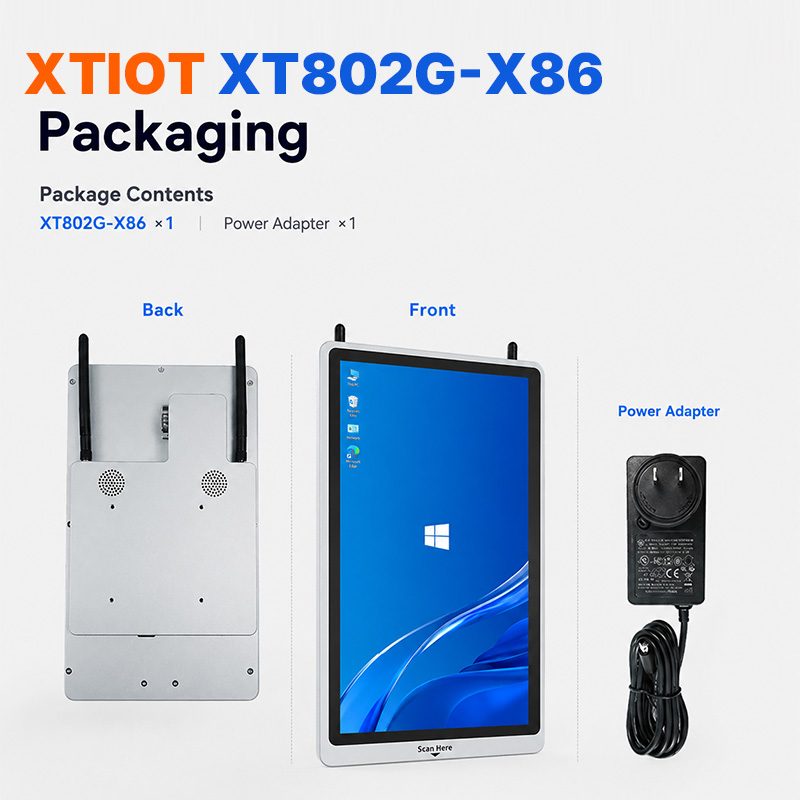
XT802G-X86
XT802G-X86 is an 11.6 inch Windows 10 industrial panel PC with Intel J4125 quad-core and 8G + 128G,
See specs and selection →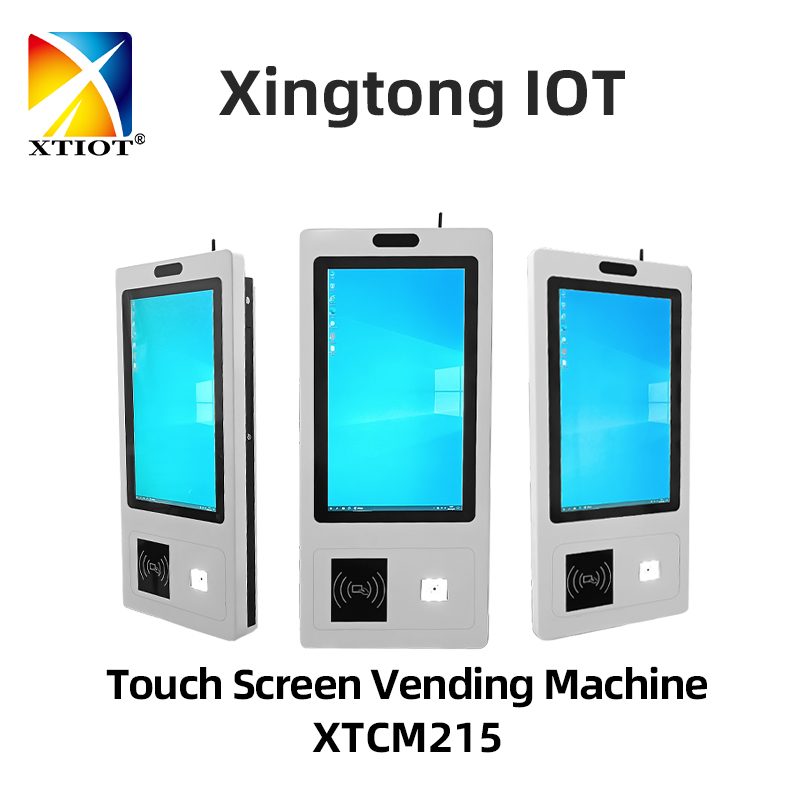
XTCM215
XTCM215 is a 21.5 inch Windows portrait all-in-one with 1080×1920, 10-point touch and J1900 quad-core + 4G + 64G SSD,
See specs and selection →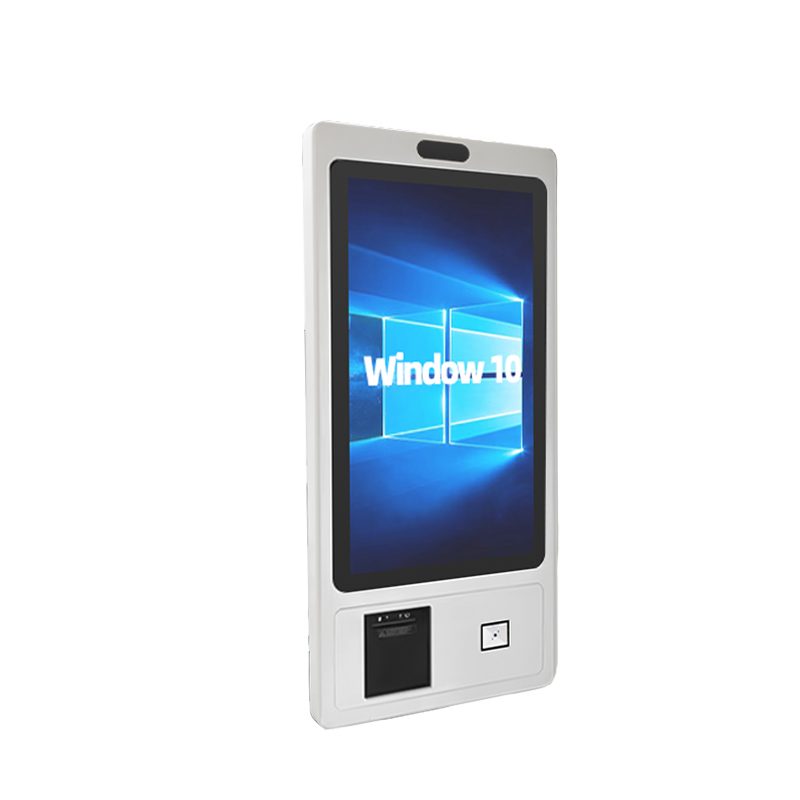
XTCM320
XTCM320 is a 32 inch Windows portrait all-in-one with 1080×1920, i5-3320M and 4G + 128G SSD,
See specs and selection →How It Looks on the Real Workstation
The photos below are real customer workstations with model labels: garment hangtags, cartons, medicine cartons, toys, lamp tubes and office supplies; scan positions and screen angles were set on site.


Why a workstation terminal instead of a tablet with scanner
| Tablet + scanner gun + power adapter | XT802 workstation terminal | |
|---|---|---|
| Installation | Tablet clamp + scanner holder + power strip, three fixing points | One bracket, screen and scan window in one |
| Power | Tablet adapter + scanner charging dock, two outlets | One DC 12V line, or one Ethernet cable via POE |
| Scanning | External scanner: cables break and holders go missing | Built-in engine, scan under the screen, no external cables |
| OS | Consumer OS, prone to heat and throttling over long runs | Industrial mainboard, fanless, 0~50℃ operation |
| Management | Each unit set up separately; software installed manually | One image per model, batch configuration |
| After-Sales | Three suppliers: tablet, scanner, bracket | One vendor for unit and bracket |
From One Workstation to the Whole Line: Four Steps
No need to change the whole line at once; prove one workstation first, then replicate by operation.
- Describe the Workstation: Operation name, cycle time, scanning distance, code surface (paper / laminated / screen / DPM) and operator posture.
- Pick the Unit: Choose size by interface complexity, Android or Windows by software environment, bracket by mounting structure.
- Trial-install one unit: Start with a sample order installed at the real workstation for a week; confirm viewing angle, cabling, network loss handling and software compatibility.
- Replicate to the whole line: Batch delivery of the same model with one image and one configuration; spares only need three size variants.
FAQ
What is the difference between an industrial panel PC and a workstation terminal?
The hardware is the same: screen, mainboard and scan engine in one unit. The difference is usage and configuration - the industrial panel PC emphasizes a touchscreen computer that runs software, the workstation terminal emphasizes being mounted at the station and ready for scanning and reporting - so brackets, port combinations, preinstalled apps and delivery are configured per workstation.
How to choose between Android and Windows?
Look at what software runs on the workstation: web-based MES, in-house APPs and lightweight dashboards go to Android - fast boot, low maintenance; Windows-only software, legacy clients and local print drivers go to X86 models. Both lines share housing and mounting holes, so mixed lines do not affect brackets.
Can we buy just the screen, without scanning?
Yes. The built-in engine is standard but can be removed per project with the price adjusted; it can also stay installed but disabled by default and enabled when needed.
What is the delivery time?
Standard configurations are stocked and sample orders usually ship in 3-5 business days; batches and customization (color, silkscreen, memory, OS) follow the project schedule, with the lead time quoted at order time and written into the contract.
Do you support OEM / ODM?
Yes. Color, silkscreen, boot screen, system preinstallation, packaging and port combinations can all change per project; ODM requires evaluation of tooling and lead time for structural changes.
How do warranty and after-sales work?
The unit is warranted per contract; non-human-caused damage is repaired free of charge; spare unit plans are available and batch projects can discuss a spare parts stock. Technical issues go by phone and remote support, with factory repair when needed.
Describe your workstation and we will provide a configuration you can install directly
Describe the process, cycle time, scanning distance and software environment (MES / ERP / in-house), and we will provide a model, bracket and port proposal within 24 hours.