
XT802C 5 inch industrial panel PC
The XT802C is a 5 inch Android 11 industrial panel PC with a 720×1280 portrait screen, a 148×110×40mm body and 500g weight.


Technical specifications
| Projects | Specifications |
|---|---|
| Operating system | Android 11, Debian / Ubuntu available to order (one OS per unit) |
| Processor / memory | RK3566 quad-core 1.8GHz; 4G + 64G, 2G + 32G available to order |
| Screen | 5 inch capacitive touch screen, 720×1280 |
| Scan engine | 2D imaging, 640×480 CMOS; field of view 40° horizontal / 29° vertical / 49.4° diagonal |
| Supported symbologies | Common 1D barcodes, 2D codes and QR; paper and on-screen codes |
| Ports | RJ45 Ethernet ×1; RJ11 COM ×1; USB3.0 ×1; USB2.0 ×3; audio ×1; power button ×1 |
| Network | 2.4G / 5G WiFi; wired Ethernet; Bluetooth 5.0 |
| Power | DC 12V (adapter included); PoE version 48V |
| Body / weight | 148 × 110 × 40mm; 500g |
| Installation | Z bracket included with four mounting holes; fits line poles, tool racks and walls |
| Operating environment | 0~50℃, indoor workstation environment |
| Options | MRZ / ID OCR reading module, custom colour and print, custom packaging |
Who this model suits
Suits workstations like these
- Assembly workstations with one operation and a single scan-and-report step
- Line poles or the side of a tool rack, where space is tight
- One unit per operator for reporting, material checks and line-off confirmation
- Budget-sensitive rollouts of dozens of units across a line
Not recommended here
- Viewing SOP documents or operation videos on screen (long documents are hard work on 5 inch)
- Several people viewing one screen together
- Inspection workstations showing several parameter columns and drawings at once
What to check when fitting it to a workstation
| Stage | How it works |
|---|---|
| Where it mounts | The Z bracket fixes with four holes: clamp it to a 30–40mm pole or use two self-tapping screws on a tool rack; keep the screen centre 35–50cm from the operator, slightly below eye level. |
| Power supply | With a socket at the workstation, use the DC 12V adapter; with just a network cable, use the PoE version and a switch that supports 48V PoE, or add an injector. |
| What to Connect | Scan results reach the host over USB (HID keyboard mode) or RS232, or by TCP over Ethernet straight to MES, with the screen used for display and confirmation. |
| Software installation | Install the APK directly on Android; for auto-start on boot, set the app as launcher or use the vendor's kiosk allowlist. |
Workstation Photos

How it compares in the series
| Model | Screen | OS | Processor / memory | Installation |
|---|---|---|---|---|
| XT802C | 5 inch 720×1280 | Android | RK3566 quad-core 1.8GHz; 4G + 64G, 2G + 32G available to order | Z bracket included, four mounting holes |
| XT802D | 8 inch 800×1280 | Android | RK3566 quad-core 1.8GHz; 4G + 64G, 2G + 32G available to order | Z bracket with four holes included |
| XT802E | 10.1 inch 800×1280 | Android | RK3566 quad-core 1.8GHz; 4G + 64G, 2G + 32G available to order | Z bracket with four holes included |
| XT802F | 15.6 inch 1366×768 | Android | RK3566 quad-core 1.8GHz; 4G + 64G, 2G + 32G available to order | VESA01 standard hole pattern |
| XT802E-X86 | 10.1 inch | Windows | Intel J1900 quad-core 2.0GHz; 4G + 64G, 8G + 128G available to order | Z bracket with four mounting holes |
| XT802F-X86 | 15.6 inch 1366×768 | Windows | Intel J1900 quad-core 2.0GHz; 4G + 64G, 8G + 128G available to order | VESA01 hole pattern |
| XT802G-X86 | 11.6 inch | Windows | Intel J4125 quad-core 2.0GHz; 8G + 128G, configurable | VESA bracket (optional) |
| XTCM215 | 21.5 inch, ten-point touch; 1080×1920 portrait | Windows | Intel Celeron J1900 quad-core 2.00GHz; DDR3 4G + 64G SSD | Wall bracket included |
| XTCM320 | 32 inch, 1080×1920 portrait | Windows | Intel i5-3320M; 4G + 128G SSD | Wall bracket included |
FAQ
Is a 5 inch screen enough for production reporting?
A reporting screen usually holds four blocks: work order, operation, quantity and confirm, which fit on a 5 inch 720×1280 portrait screen. If you also need process drawings, inspection items or history, move up to the 8 inch XT802D or 10.1 inch XT802E; one size larger and the interface needs no rework.
The workstation has no network port and relies on WiFi. Is it stable?
The XT802C supports 2.4G / 5G dual-band WiFi and Bluetooth 5.0. Shop-floor WiFi is affected by steel racking and cranes, so test one unit at the real workstation for a week and log packet loss. Reporting apps tolerate latency but not lost records, so use wired PoE or local caching with upload on recovery.
What is the scan distance? Will it fail if the code is too close?
The 5 inch model's engine has a 40° horizontal and 29° vertical field of view, with a typical reading distance of 5–25cm, so the code is brought close under the screen. If the code sits 40cm or more from the screen, or you need to read pallet sides, use a fixed reader or a larger screen with an external engine.
Can we install our own app?
Yes. Android 11 allows installation, with USB debugging and auto-start configuration. For code results, the engine outputs as a HID keyboard by default, or switch to serial mode and read values directly in the app; the command set is supplied at sample stage.
Neighbouring models in the series
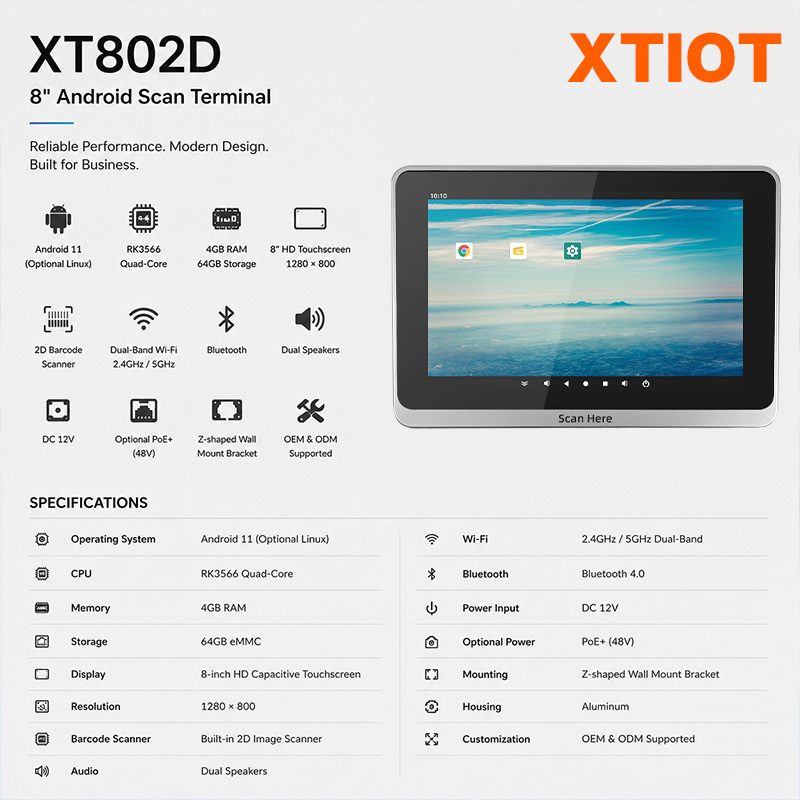
XT802D
XT802D is an 8 inch Android 11 industrial panel PC with 800×1280 portrait display, housing 212×143×37mm, weight 732g.
See specs and selection →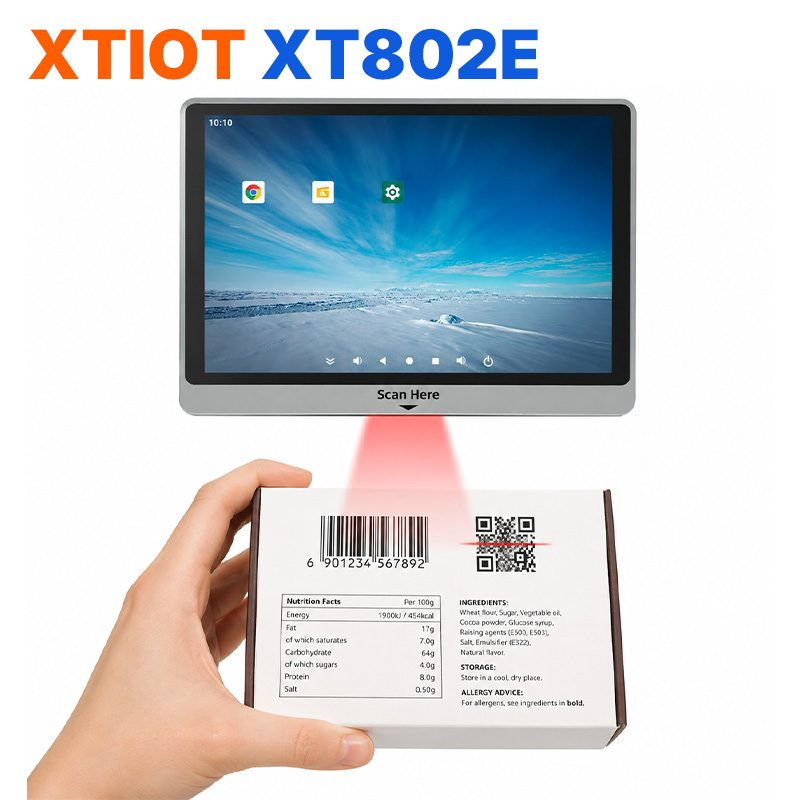
XT802E
XT802E is a 10.1 inch Android 11 industrial panel PC with 800×1280 resolution, housing 242×173×35mm, weight 878g,
See specs and selection →Describe your workstation and we will provide a configuration you can install directly
Describe the process, cycle time, scanning distance and software environment (MES / ERP / in-house), and we will provide a model, bracket and port proposal within 24 hours.