Android or Windows: Judge by Workstation Software
There is no universal answer. One criterion matters: which system the workstation software was originally written for. Web apps and APPs belong on Android; Windows-only programs, legacy controls and local print drivers belong on Windows. Everything else comes down to maintenance cost.
Item-by-Item Comparison
| Android 11 | Windows 10 | |
|---|---|---|
| Representative Models | XT802C / D / E / F | XT802E-X86 / F-X86 / G-X86 / XTCM320 |
| Processor | RK3566 quad-core 1.8GHz | J1900 / J4125 / i5-3320M |
| Memory / Storage | 4G + 64G (2G + 32G available on request) | 4G + 64G (8G + 128G on some models) |
| Boot Time | Fast; auto-start can launch the business interface directly | Slower; the system must start before the program launches |
| Software Sources | APK, web apps; app store or sideloading | EXE, MSI, web apps; drivers and runtime libraries required |
| Peripheral Drivers | Most USB HID devices are driver-free; serial drivers come from the vendor | Complete driver support, good compatibility with legacy devices |
| Low maintenance | Kiosk whitelisting keeps the risk of unauthorized software installs low | Requires account and group policy management; a restore image is recommended |
| Long-Term Operation | Low power draw, less heat | Higher power draw; watch cooling and power headroom |
| License Cost | No extra OS license | Follows Windows licensing terms |
Four Typical Checks
Web-based MES / in-house APP → Android
Boots straight to the interface so workers do not wait; app whitelisting prevents unauthorized installs; for batch delivery of the same model, one image is replicated across the line.
Windows-only inspection / printing software → X86
Migrate programs as-is and keep the drivers; run the serial ports and peripherals on one sample unit first before replacing workstation PCs in batches.
Production + office networks → XT802G-X86
The two LAN ports are physically separate, so one device can access MES and the ERP / file server at the same time, replacing an industrial PC with a dual-NIC card.
View-only, no software to install → Android
For dashboards, SOP and production reporting, Android is sufficient and simple to maintain; choose the 15.6 inch model for large-screen video.
Switching from Windows to Android: What to Watch For
- First confirm whether the software has an Android version: If not, keep Windows; do not rewrite the client just to cut costs.
- Scan Output Method: The Android built-in engine outputs as an HID keyboard by default and can switch to serial mode; if the original program reads the serial port, one line of configuration changes.
- Printing: Connecting a label printer on Android requires a vendor SDK or standard ESC/POS commands; on Windows, install the driver directly.
- Files and Logs: Android partitions storage differently; log export changes to in-app export or network upload.
- Fallback Plan: During batch migration, keep 1-2 Windows units as a transition and replace the rest once the new workflow is stable.
FAQ
Do same-size Android and Windows models share the same housing?
XT802E and XT802E-X86, XT802F and XT802F-X86 share the same housing and mounting hole pattern, so brackets are interchangeable; the mainboards differ and ports vary slightly (X86 models add VGA/HDMI).
Will Android slow down after two years?
Workstation scenarios run a single business application with low load; long-term operation depends mainly on cooling and storage writes. Close unneeded background apps, clean logs periodically, avoid frequent disk writes; for batch projects, request burn-in testing.
Can the Windows models run Linux?
Standard shipment is Windows 10. Linux with Debian / Ubuntu can be customized per project; driver and peripheral compatibility must be verified item by item.
Can both systems dual-boot?
No. Android and Windows use different mainboard architectures; it is not two systems on one machine. If you need both environments, deploy two units, or choose a Windows model with an emulator.
Related Models
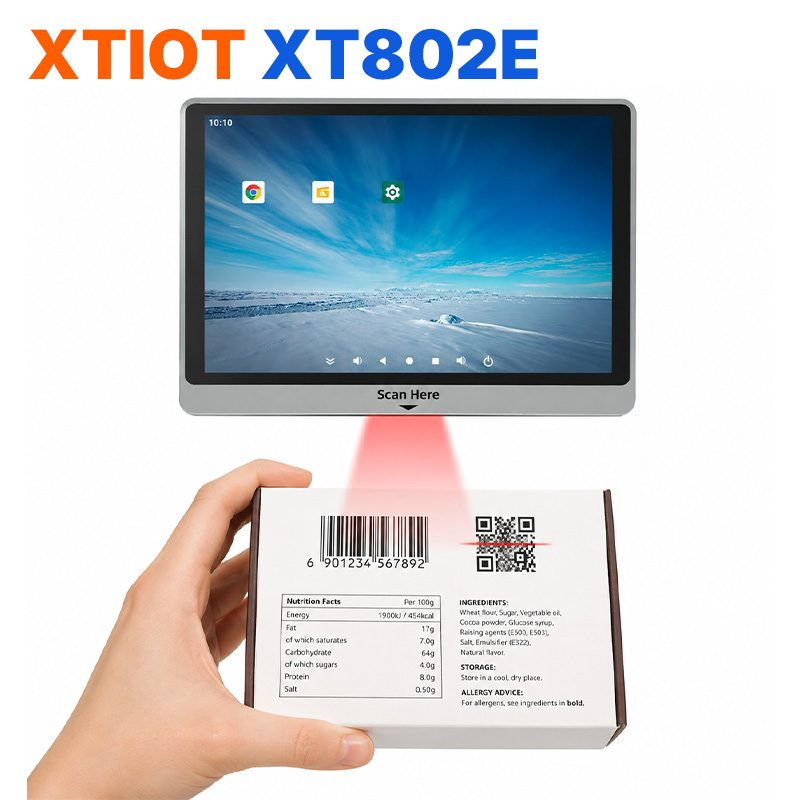
XT802E
XT802E is a 10.1 inch Android 11 industrial panel PC with 800×1280 resolution, housing 242×173×35mm, weight 878g,
See specs and selection →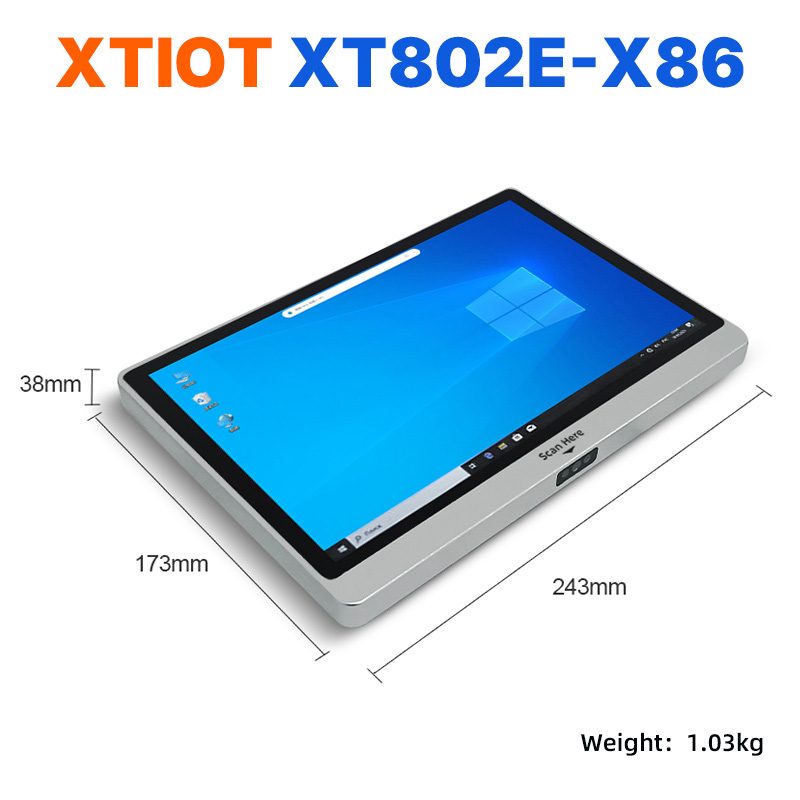
XT802E-X86
XT802E-X86 is a 10.1 inch Windows 10 industrial panel PC with Intel J1900 quad-core 2.0GHz and 4G + 64G,
See specs and selection →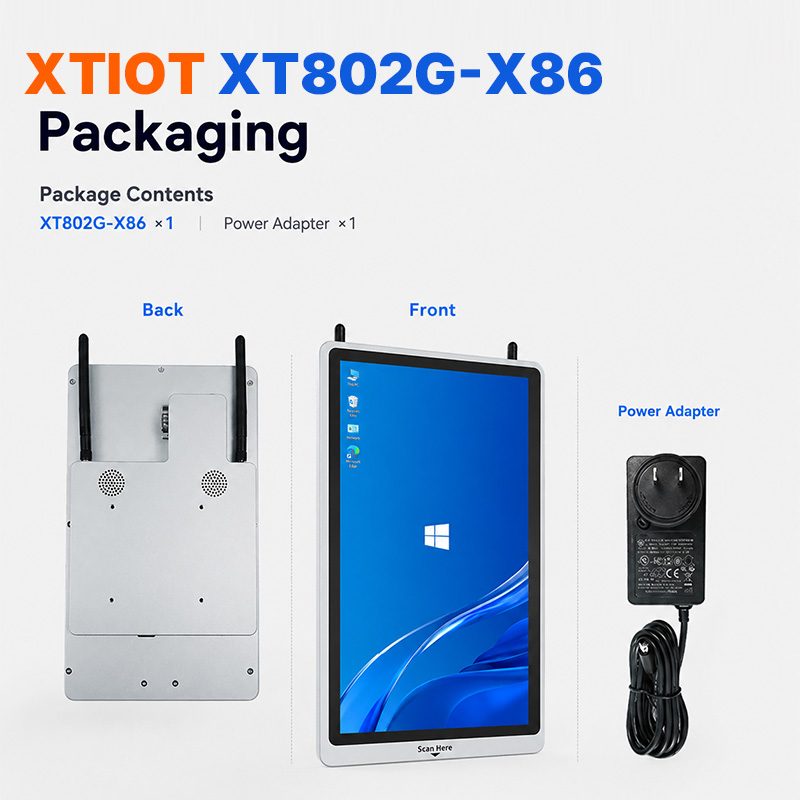
XT802G-X86
XT802G-X86 is an 11.6 inch Windows 10 industrial panel PC with Intel J4125 quad-core and 8G + 128G,
See specs and selection →Describe your workstation and we will provide a configuration you can install directly
Describe the process, cycle time, scanning distance and software environment (MES / ERP / in-house), and we will provide a model, bracket and port proposal within 24 hours.